 Live Chat



.png)





Written by: Joblogic
What is stock control software?
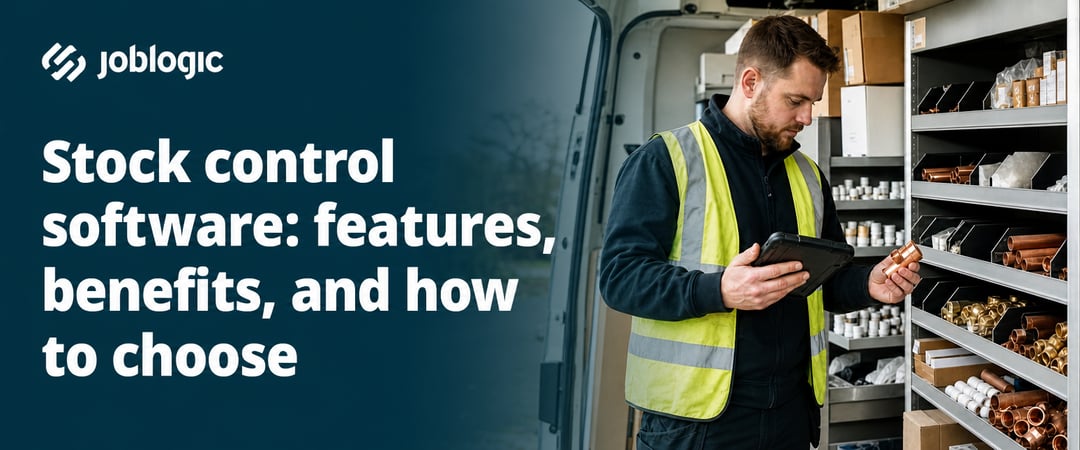
Stock control software gives you real-time visibility of your inventory levels, stock movements, and purchase orders, without relying on spreadsheets or phone calls to the warehouse. It shows you what parts you have, where they are, and when to reorder.
For field service businesses, getting this right directly affects job quality. An engineer arriving on site without the right part means a return visit, a frustrated customer, and a job that costs more to complete than it should have.
Benefits of stock control software for service businesses
Poor stock management costs businesses in two ways. Jobs stall when critical parts run out, and cash gets tied up when excess stock sits unused on van shelves or in storage.
The right software addresses both problems by giving you visibility and control across your whole operation:
- Fewer stockouts: Automated reorder alerts notify you when stock drops below a set threshold, before engineers are left short on a job.
- Less overordering: Usage reports show which parts move quickly and which sit idle, so you order based on real demand rather than guesswork.
- Higher first-time fix rates: When engineers arrive with the right materials, jobs get completed on the first visit rather than the second.
- Healthier cash flow: Cutting waste and avoiding emergency procurement orders frees up working capital for other parts of the business.
Knowing what you need from a system is the first step. The next is understanding which features actually deliver these outcomes.
Key features to look for in stock control software
Not every stock control system suits field service operations. When comparing options, an Operations Director should focus on the capabilities that match how the business actually works.
| Feature | Why it matters for field service |
|---|---|
| Real-time inventory tracking | You know what is available across all locations without manual checks |
| Low-stock alerts and auto-reorder | Stops engineers arriving on site without the parts they need |
| Barcode and QR scanning | Speeds up stock takes and cuts data entry errors |
| Multi-location management | Single view of stock across warehouses, vans, and job sites |
| Purchase order management | Keeps procurement organised and tied to specific jobs |
| Mobile access | Engineers can check and update stock directly from the field |
| Audit trails and reporting | Supports compliance and gives a Contract Manager the data to make smarter purchasing decisions |
Cloud-based inventory management software is worth prioritising if your team works across more than one location. It means everyone, including engineers out in the field, works from the same up-to-date information at all times.
How stock control connects to scheduling, purchase orders, and invoicing
Stock control works best when it is not a standalone system. Joblogic is a Field Service Management (FSM) platform with stock control built into the same system as scheduling, quoting, and invoicing. You can track parts across multiple locations, set reorder thresholds, and raise supplier purchase orders without switching between tools.
Because inventory sits alongside your job data, there is no duplicate entry. Engineers can check stock availability and log parts used directly from the mobile app, which keeps records accurate without extra admin at the end of the day. For businesses that handle equipment sales alongside service work, the Serialised Stock Marketplace app adds serial number capture on top of core stock control, so equipment records and audit trails stay accurate from the point of sale through to handover.
Accounting integrations matter here too. Xero, QuickBooks, and Sage (Sage 50, Sage 200, Sage Accounting) all connect directly to Joblogic, so stock costs logged against a job flow straight through to invoicing without re-keying anything into a separate system.
How to choose the right stock control software
Choosing between platforms is easier when you have a clear picture of your own operation first. Before comparing tools, map out how stock currently moves through your business, from ordering and receiving to issuing parts to engineers and reconciling usage against completed jobs. If your team handles ad-hoc jobs regularly, it is worth paying particular attention to how parts are requested and issued at short notice, since informal job creation often leads to missing asset information and engineers arriving on site unprepared.
These are the most important questions to work through before making a decision:
- Workflow fit: Does the system match how your team raises purchase orders, receives goods, and issues parts to engineers on the ground?
- Integration needs: Can the software connect with your existing job management or accounting tools, or do you need a platform that covers both in one place? Disconnected systems add hidden costs in admin time and duplicated data, so this is worth getting right.
- Multi-location tracking: If your stock is spread across a central warehouse, engineer vans, and multiple job sites, an FM Contract Manager needs a system that gives a single view of all three.
- Mobile access: Engineers should be able to view available stock, log parts used on a job, and request replenishment from their phone without calling the office.
- Scalability: If you're an SMB Business Owner, the platform you choose today should still work as you add engineers, locations, and new contract types over time.
Once you have answered these questions, the choice between a standalone stock control tool and a fully integrated FSM platform usually becomes clear.
Getting stock control right from the start
The right stock control software gives your business real-time visibility of parts and materials, connects inventory directly to your jobs, and reduces the delays that cut into margins. If you want to see how Joblogic manages stock control as part of a complete FSM platform, book a demo and speak with a specialist who can walk you through exactly how it works for your operation.
Frequently asked questions
If you still have questions after reading this guide, the answers below cover the most common ones.
What is the difference between stock control and inventory management?
Stock control focuses on keeping inventory at the right levels to meet demand. Inventory management is broader, covering the full cycle of ordering, receiving, storing, issuing, and tracking items across your operation.
Is stock control software suitable for a small field service business?
Yes. All-in-one FSM platforms can lower total software costs for small businesses by bundling inventory with job management in a single subscription rather than paying for a standalone stock tool on top.
What does stock taking software do?
Stock taking software helps businesses carry out periodic physical counts and reconcile those counts against system records. Many stock control platforms include this as a built-in feature rather than a separate tool you need to buy and connect.
Does stock control software need to handle VAT on purchase orders?
Most UK-focused platforms apply VAT to purchase orders and supplier invoices automatically. Check that your chosen system supports the VAT rates and reporting formats required for HMRC compliance.
Can field engineers access stock control software from a job site?
Yes, provided the platform includes a mobile app. Engineers can check stock availability, log parts used on a job, and request replenishment from their phone, which keeps records accurate in real time without extra admin back at the office.
What should a purchase order inventory management system include?
It should let you create, send, and track supplier orders from the same platform you use to manage jobs. When procurement is tied directly to job requirements, you can see delivery status and stock availability in one place rather than chasing suppliers separately.