Groundskeeper in blue overalls and ear defenders trimming a lawn edge with a petrol strimmer beside flower beds and clipped hedges

Landscaping & ground maintenance

Every crew scheduled. Every visit signed off. Every contract billed.

Mowing rounds, seasonal peaks and crews spread across many sites outgrow paper work orders and spreadsheets quickly.

Joblogic gives landscaping and ground maintenance businesses one cloud-based platform to schedule crews, quote, invoice and sign off every visit, with an app that keeps working when the signal doesn't.

Where landscaping and ground maintenance contracts go wrong

Weather, season and many sites in a day pull the plan apart faster than a paper diary can follow.

The weather rewrites the week

A wet Tuesday pushes every round back a day, and the printed diary stays wrong until someone rings each crew before they leave the yard.

Peak weeks outrun the plan

Everyone wants the same fortnight cut, trimmed and cleared, so crews end up on sites by habit rather than by who is free, nearest or skilled for the job.

A missed cut becomes an argument

A council, school or managing agent says a site was missed, and you have a crew's memory against their complaint, with no dated record or signature to settle it.

Records live in the cab

Spray application records, waste notes and risk assessments can sit on paper in vans, so the one form a client asks for may be in a vehicle on the other side of the patch.

Where landscaping work connects to crew control and margin

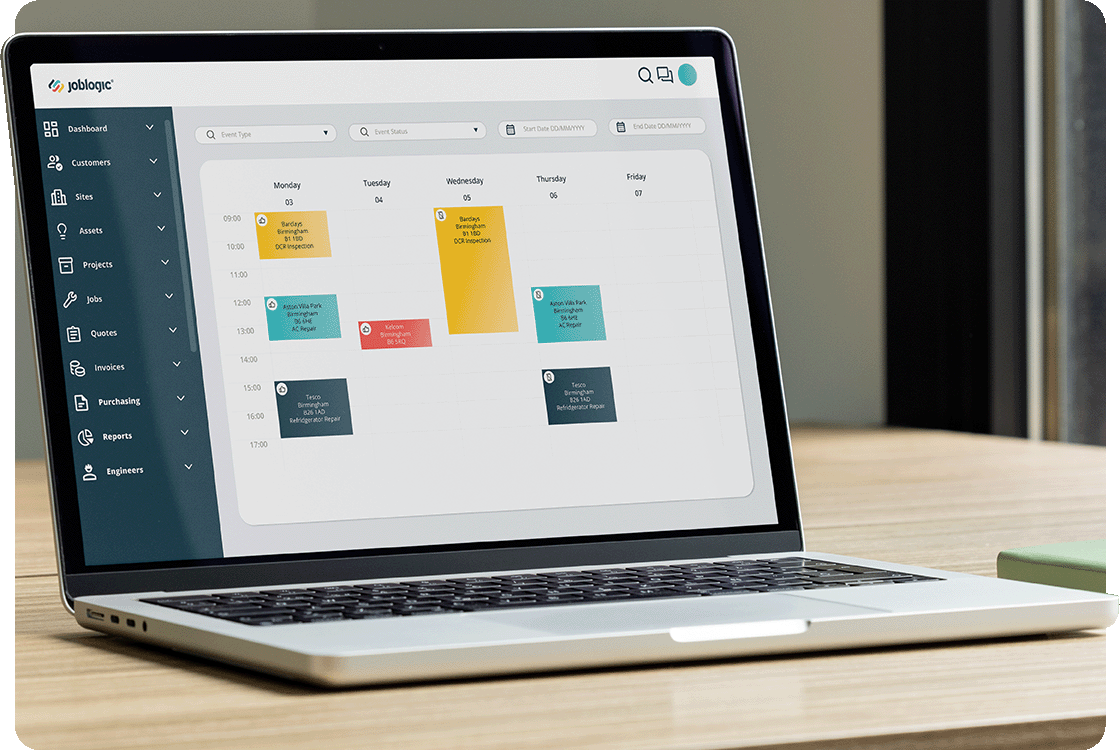
Laptop on a desk showing the Joblogic scheduling calendar with coloured job cards arranged in a weekly view

Rebuild the week when the rain comes in

Drag a washed-out round onto another day, or move a batch of jobs between crews in one action, so recurring cuts and one-off tasks are reshuffled in the office, not by phone from the van.
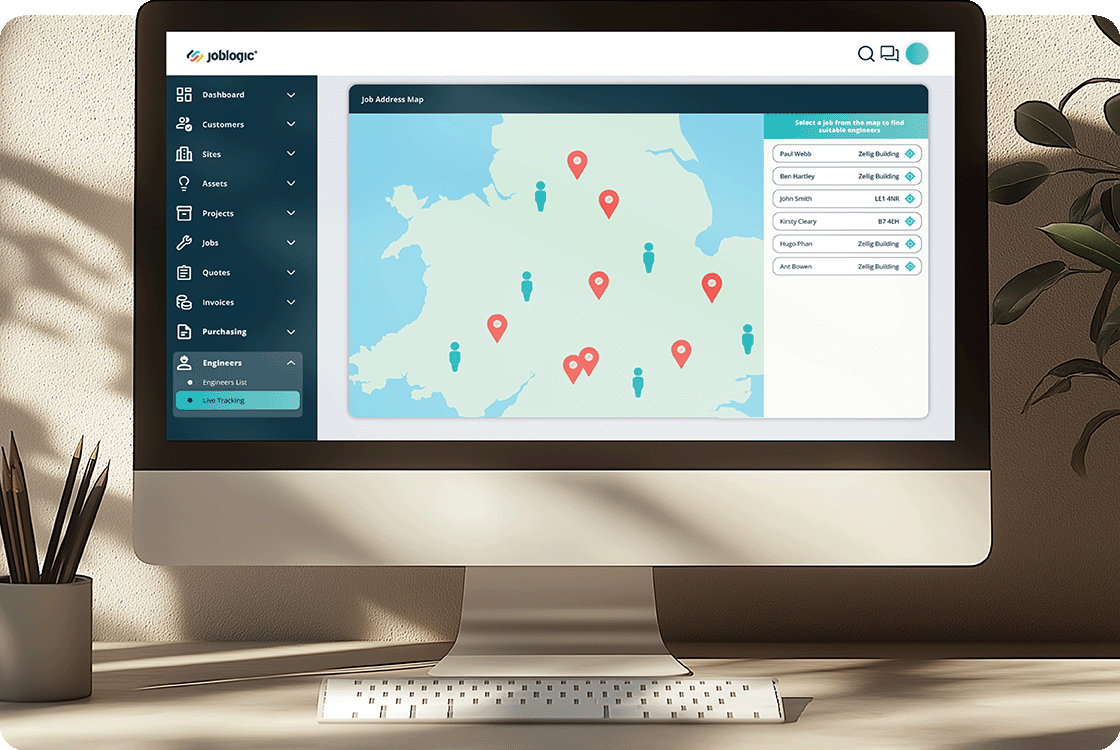
Desktop monitor showing the Joblogic job map view with job location pins and engineer markers across a UK map

See which crews are where and which sites are done

Check every crew's schedule, location history and job status from the office, so a client asking whether the team has been is answered in one look, not three phone calls.
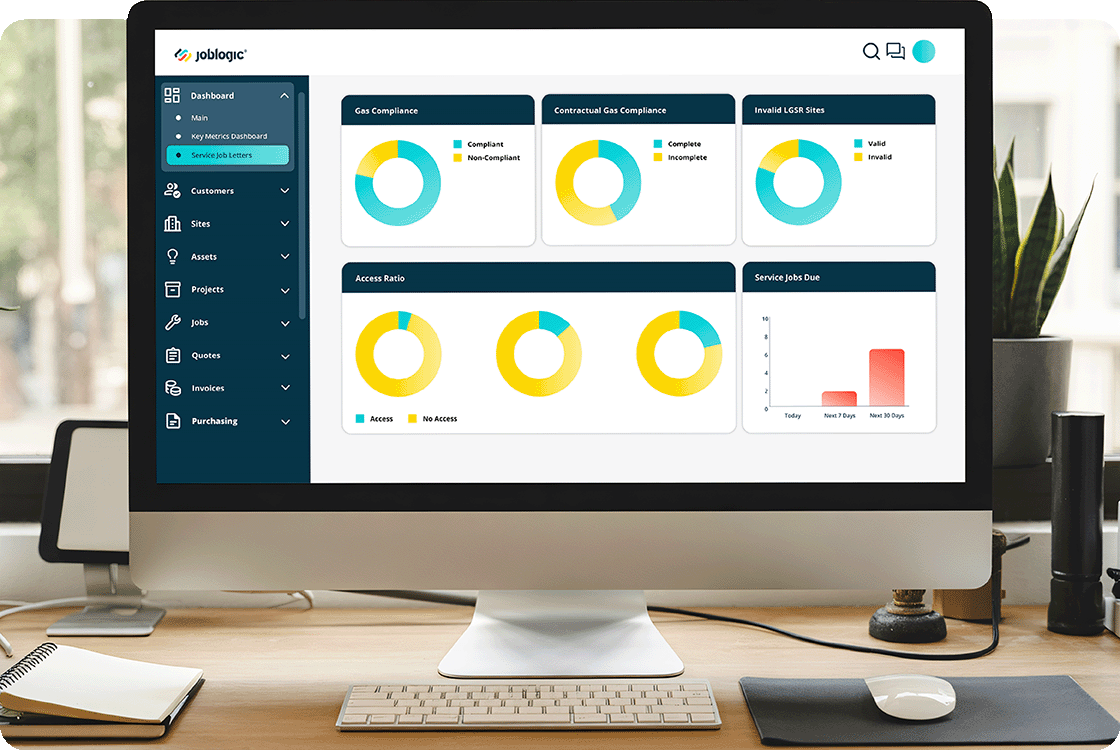
Desktop monitor showing the Joblogic reporting dashboard with donut charts and a bar chart of KPI metrics

Cost the contract, not only the job

Compare the costs recorded on a contract's jobs with the contract's turnover, then invoice recurring work in a batch, so you can see how a round is performing.

From the recurring round to the paid invoice

The quote, the crew, the visit record and the invoice sit on one job record, so the office isn't retyping what the crew already logged.

Recurring rounds set up once

Create one-time or recurring jobs, from a fortnightly cut to a one-off planting, and attach the site specification or plan to the job so the crew has it on the day. Planned preventative maintenance can be scheduled against the sites you look after.

The right crew on the right site

Schedule by skill, proximity and availability, and see every crew's day in one view. Each crew gets its schedule on the app, with the map, client contact details and job notes.

Quotes built in sections

Price a scheme in sections, start from templates or recent quotes, and see which quotes are still pending so follow-up doesn't depend on memory.

Invoices that follow the contract

Raise single, batch, recurring or credit invoices from the job, and pass them to QuickBooks, Sage 200, Sage Intacct or Xero, or export manually if you prefer.

Clients check, not chase

Give clients a portal login to see job status and invoices, approve quotes and preview quotes or contracts, or log a job themselves. On-the-way and job-done notifications go out without a call from the office.

Every visit signed off, with the record to prove it

Crews complete the job sheet, risk assessment or certificate on a mobile form and take the client's signature on site. The completion report sits on the job, so a council, school or managing agent that queries a visit gets the record instead of a recollection.

Attach the certifications and competency records your teams already hold, such as spray and machinery certificates, to the job as documents. Joblogic doesn't issue or replace them; it keeps them with the visits they relate to.
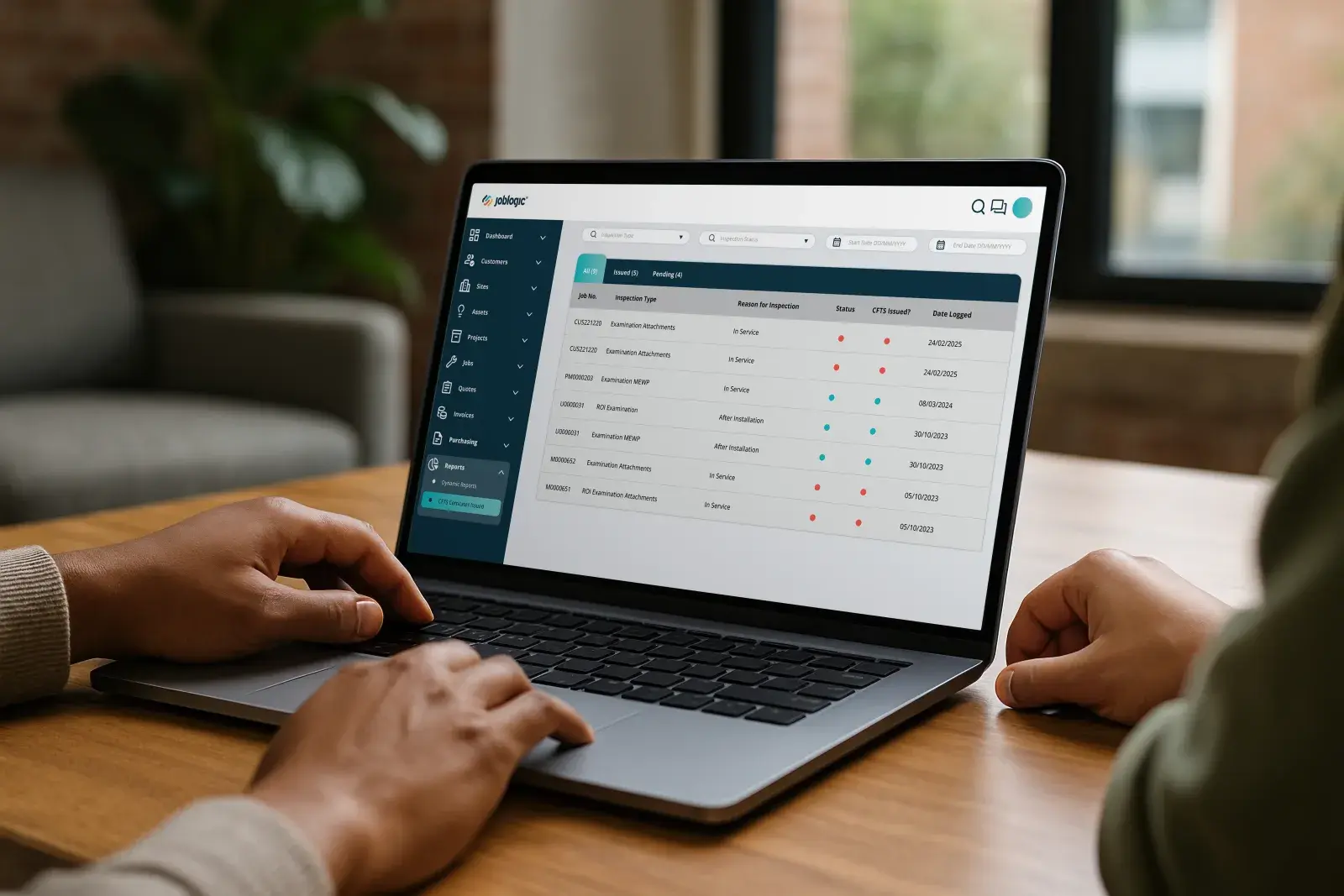
Joblogic dashboard showing job, certificate and record status

What it changes for each person running the contracts

A small landscaping firm runs it through one owner. A multi-contract ground maintenance operation splits it across a team.

Business Owner

You quote, schedule the crews, chase invoices and answer the client who rang about a missed cut. Joblogic keeps the quotes, the diary and the visit records in one place, so a dispute starts from a record, not a recollection.

See how it works for owners

Operations Manager

You balance recurring rounds against rain days, sickness and last-minute requests across every contract. You see each crew's schedule and move jobs between crews in one action instead of ringing round.

See how it works for operations

Finance Manager

You can't price the next tender until you know what the last one cost. Joblogic tracks crew hours and costs against each job, and recurring and batch invoices pass to QuickBooks, Sage 200, Sage Intacct or Xero.

See how it works for finance leaders

Fleet Manager

Your vans and trailers cover many sites a day. GPS and historical tracking show where each crew has been, and the asset register keeps equipment records against the site they sit at.

See how it works for fleet managers

Stock Manager

You need the right materials in the yard before the crews load up, not a mid-job trip to the merchant. Raise purchase orders against the job and see stock in one place.

See how it works for stock managers

Crews use it on site, including where the signal drops

Crews open the day's jobs on the app, with the map, client contact details and job notes. In a park, on a verge or at a rural site with no signal, the app keeps working offline and syncs when the crew is back in coverage.

An operative can flag a problem to the office from site, tick off mandatory tasks, give a reason when one is left undone and take the client's signature before leaving. The office is not waiting on paper to come back to the yard.

Man in a navy cap and jacket stepping out of a white van and looking at a smartphone in front of a modern building

Fits the accounts package and the contracts you already run

Connects to the accounts package you already use, and holds annual contracts and one-off jobs in the same system.

Accounting software

Integrates with QuickBooks, Sage 200, Sage Intacct and Xero, and offers a manual export if your accounts run elsewhere.

Contracts and one-off jobs

Annual grounds contracts, seasonal call-offs and one-off landscaping jobs sit in the same system, each with its own quotes, schedule and invoices.

Standards and certificates

Mobile forms carry the risk assessments, job sheets and certificates clients ask for, and documents attach to the job, so health and safety records for public sites sit with the visit they belong to.

Landscaping and ground maintenance questions

Can it cope with the spring rush and a week of rain?

It makes the capacity you have go further; it can't add crews. Recurring jobs repeat without rebuilding, and when the weather turns you drag a day's jobs onto another day or reassign a batch between crews in one action, so the office replans without ringing every crew.

Will it work on sites with no signal?

Yes. The app has an offline mode: crews log the visit on site and it syncs to the cloud when they're back in coverage. It was built with crews in rural and secluded areas in mind.

Can it run fortnightly cuts and other recurring work?

Yes. Set the job up as recurring and it repeats on schedule, with recurring invoicing to match, and one-off jobs sit alongside it. Mandatory tasks are flagged on the job, and a crew that leaves one undone has to give a reason.

Can I prove to a council or school that a visit happened?

You can show the record. Each visit closes with a completion report and, where you want it, the client's e-signature taken on site, and any risk assessment or job sheet completed on a mobile form sits on the same job. Whether a client accepts that record is their decision, but you're no longer relying on a driver's memory.

Does it handle spray application records and PA1 and PA6 certificates?

It keeps the job-side record, not your training file. Build a mobile form for the application record you need, and attach each operative's certificates to the job as documents, so the paperwork travels with the visit. Skill-based scheduling then helps you send spray work to the operative set up for it. Joblogic doesn't certify operatives; your own training records remain the source for that.

Does it connect to our accounts software?

Yes. Joblogic integrates with QuickBooks, Sage 200, Sage Intacct and Xero. If you use something else, you can export manually.

Can clients see job status and approve quotes themselves?

Yes. Clients log in to a portal to see job status and invoices, approve quotes and preview quotes or contracts. They can log a job themselves, and on-the-way and job-done notifications mean fewer calls asking where the crew is.

See it on your own rounds and contracts

Thirty minutes on your operation. Bring a round the weather has pushed back, a contract you have to evidence and a quote that needs chasing, and we'll show how Joblogic handles each.