Engineer on phone | Joblogic

Challenge · Engineer engagement

Why field engineers still work around the app

You roll out a system, engineers get logins, and within a fortnight half of them are back to phoning the office, texting photos, or filling in the paper docket they’ve always used. Nobody flags it. You find out at month end, when the job history has gaps nobody can explain.

Joblogic connects the engineer’s phone to the office in one flow: job, forms, photos, and customer sign-off happen where the work happens. Adoption stops being a training problem, because the app is faster than the workaround. What becomes visible is which jobs are actually complete.

Is the app helping, or being avoided?

Enterprise

Across multiple sites and subcontractors, inconsistent app use looks like a data problem long before anyone names it an adoption problem. Reports depend on which region bothered to complete the mobile workflow that week.

Enterprise

Growing business

With a growing team, you can’t see who’s actually using the app and who’s found a workaround. Different engineers log jobs differently, so the office ends up re-keying half of what should already be captured.

Growing business

Small business

With one or two engineers, you notice straight away when someone skips the app. It’s you chasing them for photos or a signature, or doing the invoice yourself from a memory of what happened on site.

Small business

Enterprise

Across regions and subcontractors, you only find out engineers aren’t using the app when the monthly report doesn’t add up

Two engineers reviewing a laptop together in an industrial plant, one in hi-vis and one in work overalls

One region reports live, another reports Friday

One depot’s engineers complete everything on the app the moment they finish. Another still batches paperwork weekly because a site manager never enforced it. Group reporting blends both as if they were the same quality of data.

Engineer in red uniform and hard hat using a tablet in a heavy industrial plant

Subcontractors sit outside the system entirely

Direct engineers use the app because it’s mandated. Subcontractors on the same contract often work from a group chat and a spreadsheet, because nobody built the access or the incentive for them to log in properly.

Engineer in yellow hi-vis, glasses and hard hat pointing at a tablet in a heavy industrial facility

Leadership sees adoption numbers, not the reality

A dashboard might show login rates across every site, but logging in and completing the job workflow properly are different things. Gaps in field data usually surface in a client audit, well after the quarter has closed.

Enforcing one standard across every site

Engineer activity, visible group-wide

Every site’s engineer activity reports into one place, so group leadership can see adoption and completion by region, not just by anecdote from a site manager.

One safety standard, wherever they’re working today

Safety check-ins and lone worker protocols apply the same way whichever site, region, or subcontractor the engineer happens to be working under on that day.

Missed updates surface where someone can act

Job status rolls up from individual engineer to site to group, so a missed update is visible at the level where someone can actually act on it.

One call standard, whichever depot answers

Calls into any site route and log the same way, so field-to-office contact stops depending on which depot’s phone habits happened to stick around longest.

80%of engineers across joblogic’s uk base use the app daily
99.99%platform uptime guaranteed across every connected site

Ready to enforce one app standard across every site?

One conversation about your operation. A clearer view of what comes next.

Growing business

With more engineers on the road, inconsistent app use turns into inconsistent job data across the whole team

Smiling engineer in yellow hi-vis and hard hat pointing at a tablet in an outdoor refinery setting

Every engineer uses the app differently

Some log jobs live, some do it from the van at the end of the day, some skip the parts they find fiddly. Multiply that across a growing team and the office can’t trust any of it without checking.

Engineer in yellow hi-vis and hard hat using a laptop in an industrial plant room

The office re-keys already captured data

Half the team’s job data arrives as photos in a group chat or notes scribbled on a printed job list, so someone in the office types it into the system a second time before it’s usable.

Engineer in yellow hi-vis, hard hat and safety glasses using a tablet in a warehouse with coloured racking

New starters learn the workaround first

A new engineer watches the person next to them for two days and learns the shortcut, not the training. Within a month the workaround is the standard and the app is the thing everyone half-uses.

Consistency across a team that’s outgrown one system

One app, whoever’s on the job

Every engineer works from the same app, on the same steps, so job data looks the same no matter which member of the team completed the job.

Every job’s status, not just the ones you hear about

The office sees every job’s status live, across the whole team, not just the jobs someone happened to remember to update the office by phone.

One form, whoever fills it in

Compliance and job forms follow one template across the whole team, so a form filled in by any engineer on any day means exactly the same thing.

Customers stop ringing to ask where everyone is

Customers get an automatic update the moment the engineer’s on the way, instead of ringing the office to ask exactly where everyone’s actually got to.

80%of engineers use the joblogic app daily, platform wide
95%paperwork reduction recorded by a different joblogic customer, Tech Asset Management

We’re saving thousands of hours every year on paperwork alone. That time goes straight back into serving clients better.

Layne TaylorService ManagerTechniFire Solutions

Ready for one app standard across the team?

One conversation about your operation. A clearer view of what comes next.

Small business

You’re still doing the paperwork the app was supposed to take off you

Electrician in red hi-vis vest kneeling at an electrical control panel and using a tablet

Engineers ring in instead of logging in

You bought a mobile app so engineers could log jobs themselves. Most days you’re still on the phone taking details, because typing it into a screen with a signal drop halfway through a plant room feels slower than shouting it down the line.

Field engineer in an orange hi-vis vest sitting in a van cab, checking his smartphone

Paper dockets outlive the app

One engineer keeps a pad in the van out of habit. It only surfaces weeks later, usually when a customer disputes an invoice and you go looking for proof of what was actually done on site that day.
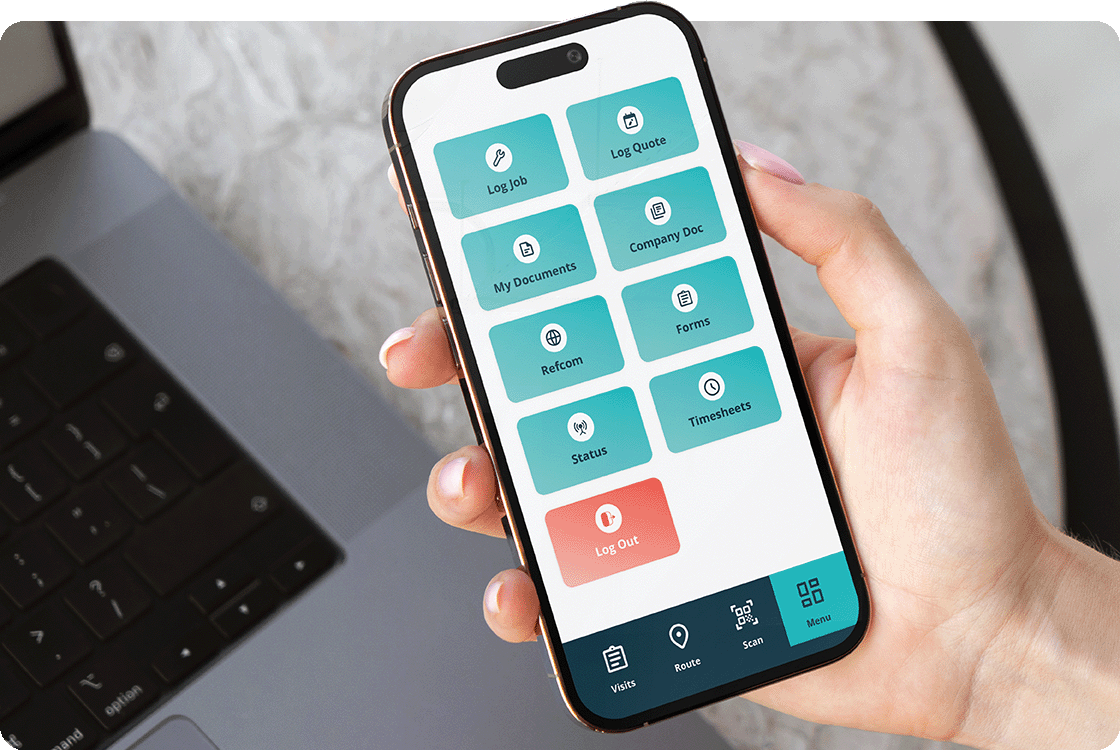
Woman's hand holding a modern smartphone showing the Joblogic mobile app home screen

Signatures get chased after the job is done

Customer sign-off should happen on the engineer’s phone before they leave site. Instead you’re emailing customers days later asking them to confirm work happened, because nobody captured it in the moment.

The basics that get engineers using it

Your phone runs the job, not your memory

One engineer opens the app, sees today’s jobs, and works from their phone instead of a phone call and a memory of what was agreed on site.

The job sheet leaves the van for good

The job sheet lives on the phone, not in the van. The engineer fills it in on site and it lands in the office the moment they save it.

Compliance forms finished before you leave site

Compliance forms and certificates get filled in on the job itself, not reconstructed from memory back at the depot at the end of a long day.

We’ve slashed job-related man-hours by 50% with Joblogic. Every job is now monitored, processed, updated, and invoiced in half the time, doubling our operational efficiency.

Barry RussellGeneral ManagerRDA Service & Installation

Ready to get the app actually used?

One conversation about your operation. A clearer view of what comes next.

Which plan fits how your team works?

If engineers are still working around the app, the fix is rarely more features. It’s matching the plan to how many people need one consistent standard.

Standard

Best for a small team where you can still see who’s skipping the app, and want them working from their phone, not a phone call.

Mobile job sheets, forms, and photos for engineers working from one phone each, so job data comes from the site instead of a memory of it.

See Standard pricing

Premium

Best for a growing team where different engineers use the app differently, and job data needs to mean the same thing whoever captured it.

Consistent job tracking and customer notifications across a whole team, so the office sees live status instead of re-keying what should already be captured.

See Premium pricing

Enterprise

Best for multiple sites and subcontractors, where adoption looks fine in a login report but breaks down in the actual field data.

Group-level tracking, lone worker compliance, and consistent field-to-office contact enforced the same way across every site, region, and subcontractor you run.

See Enterprise pricing

How this shows up in your sector

Electrical Maintenance

Certified engineers work alone on site for hours at a time, so a skipped app entry means no record of what was tested.

See it in electrical maintenance

Fire Safety

Missed compliance forms on a fire job aren’t just admin gaps, they’re the certificate a client asks for at audit.

See it in fire safety

HVACR

F-Gas logs have to be captured the moment refrigerant is handled, not reconstructed from memory back at base.

See it in HVACR

Building Maintenance

Reactive callouts move fast, so the engineer who skips the app is also the one whose job history goes missing first.

See it in building maintenance

Facilities Management

Subcontractors working the same contract as direct engineers often sit outside the app, breaking one version of the record.

See it in facilities management

Engineer engagement, answered

Why won’t our engineers just use the app we already have?

Usually because it’s slower than the workaround they already trust. Adoption improves when the app is genuinely faster than a phone call or a paper docket, not when engineers are told to use it.

Can we see who’s actually using the app and who isn’t?

Yes. Job and login activity is visible per engineer, so you can see who’s completing the mobile workflow properly rather than just logging in and skipping the rest.

Our whole team uses the app differently, does that matter?

It matters once you rely on the data. Inconsistent use means inconsistent job records, which shows up as re-keying, disputed invoices, or gaps nobody can explain later.

How do we get new engineers using it properly from day one?

New starters tend to copy whoever trains them, not the manual. Setting the app as the only way to log a job, from week one, stops the workaround becoming the habit.

Do subcontractors have to use the app too?

They can be given access at whatever level fits the contract, from full mobile workflow to a simple job update. Whether they actually use it consistently is still a management decision, not just a licensing one.

What happens to jobs an engineer logs incorrectly?

The office can see and correct job records centrally, but prevention matters more than correction. The aim is capturing it right on site the first time, not fixing it afterwards.

Does a bigger plan get us better engineer adoption?

Not on its own. Higher tiers add group-level visibility and enforcement across sites, which helps once you’re running many of them, but adoption itself comes down to whether the app is genuinely easier than the alternative.

How long does it take to get engineers actually using it?

There’s no fixed answer here. It depends on your current workaround and how the rollout is handled, and we’d rather say that plainly than give you a number that won’t hold for your team.

See how your engineers would use this

Bring an example from your own week: a job logged late, or a form that got skipped. We’ll show you what changes with the app actually in the loop.