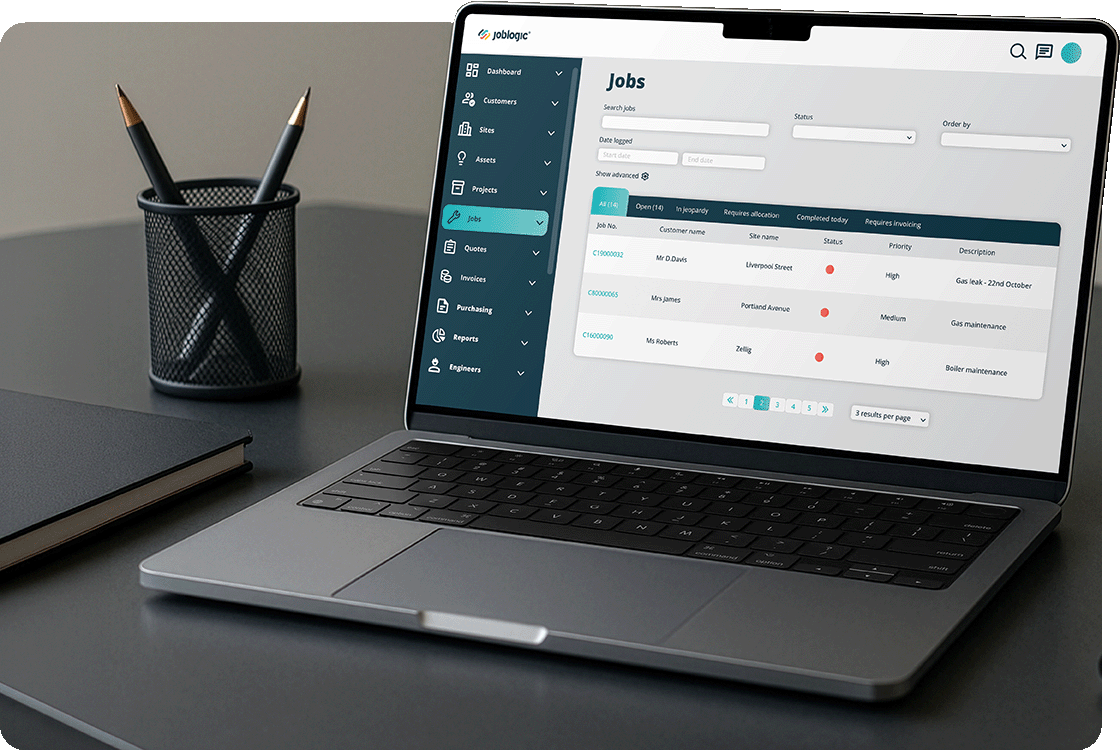
Engineer on laptop | Joblogic

Challenge · Admin reduction

The job’s done. The paperwork’s only just started.

Then comes the write-up, the signature, the right form and the same details typed into another system for the invoice. Joblogic connects job, form and invoice into one record from the start, so the same details don’t get typed twice. Admin isn’t the price of growth. It’s a symptom of disconnected systems.


Where does your paperwork pile up?

Enterprise

Across multiple sites, admin becomes a reporting problem before it’s a workload problem. The same job data gets typed into different systems at every site, so head office finds out what happened after the site has already moved on.

See how it works for enterprise teams


Growing business

As the team grows, admin stops sitting with one person and starts spreading across schedulers, engineers and office staff, each doing it slightly differently. The same paperwork takes longer per job as headcount rises.

See how it works for growing businesses

Small business

For a small team, admin means the owner or one office person doing invoicing, certificates and job sheets after hours, because there’s no one else to hand it to and the backlog only grows if it’s ignored.

See how it works for small businesses

Enterprise

By the time every site’s admin rolls up into one report, the week’s already over.

Office worker reviewing invoice discrepancy on computer screen

Every site, its own habits

Each site or region has quietly built its own way of logging jobs and closing out paperwork, so getting one view across the business means reconciling formats before anyone can compare one site with another. 

Accounts team working at office desks reviewing paperwork

Compliance evidence, pulled together by hand

When a client audit or head office review asks for certificates and job history across every site on a contract, someone has to pull it together from local systems and inboxes instead of producing it on demand. 

Leadership team in a boardroom meeting reviewing operational reports

The board sees the backlog as it was, not as it is

Reporting on paperwork, invoicing and compliance status lags behind what’s happening on site, so leadership manages a picture of the business that’s already out of date by the time it reaches them. 

One admin standard across every site

One view across every site

One dashboard rolls up job status, invoicing and compliance across every site and region, so head office sees how admin is going without waiting for anyone to compile it by hand.

Compliance evidence ready when it’s asked for

F-Gas and other compliance records attach to the asset and the site when an engineer completes the work, so the evidence for an audit is there to pull up instead of rebuilt each time.

The same form, wherever the job happens

The same digital forms apply whichever site, region or engineer completes them, so every site works to one admin standard instead of relying on each site manager to apply it.

£6.5m to £20mmaintenance department turnover growth since 2018, East West Connect
95%reduction in paperwork, Tech Asset Management
40%workforce productivity boost, Response Building Maintenance Services Scotland

Since adopting Joblogic in 2018, our maintenance department turnover has grown from £6.5 million to £20 million. That growth is a direct result of capturing every job, streamlining invoicing, and gaining complete visibility across the business.

Sam AllenDirector of MaintenanceEast West Connect

Ready to standardise admin across every site?

One conversation about your operation. A clearer view of what comes next.

Growing business

The team’s grown. So has the paperwork per job.

Engineer on laptop in warehouse | Joblogic

Everyone does the job sheet their own way

Each scheduler or engineer fills in the same job sheet slightly differently, so admin doesn’t get faster as you add people, it gets less consistent, and someone has to chase the gaps at month end. 

Jobs Dashboard | Joblogic

Invoicing backs up at month end

 A batch of jobs finishes on the same day, and invoicing turns into a queue rather than a habit, so cash collection slips behind the work that earned it.

Woman on iPad Electrician | Joblogic

Certificates scattered across inboxes and phones

Compliance paperwork gets emailed, saved locally, or left on a phone depending on which engineer did the job, so finding the right one when a client asks means asking around, not searching.

The same process, whoever’s doing the job that day

One dashboard, not a round of check-ins

You see completed jobs, outstanding invoices and missing paperwork across the whole team on one dashboard, instead of asking each person separately how their week went. 

Certificates in one place

Compliance certificates attach to the job and the asset when an engineer completes the work, so finding the right one when a client asks means opening the record, not asking around. 

Invoicing without the month-end queue

Completed jobs flow into invoicing across the whole team, not just the jobs one person remembers to chase, so a busy week doesn’t turn into a backlog the following month. 

Same job sheet, whoever’s on shift

Every engineer fills in the same digital job sheet, whichever site or contract they’re on, so a form completed by a new starter looks like one completed by your most experienced engineer. 

~1 minuteaverage time to invoice a job, down from around 15 minutes
25%increase in job logging efficiency, Parr FM

Previously it took about 15 minutes per job to prepare an invoice. With Joblogic, it now takes me about a minute.

David MorrowBusiness Process SpecialistParr FM

Ready for admin that scales with your team?

One conversation about your operation. A clearer view of what comes next.

Small business

By the time I’ve finished the jobs, I’ve still got a night of paperwork left

Sole trader reviewing unpaid invoice on laptop

Certificates written up after the job

You finish on site, then spend the evening finding the right certificate template, filling it in from memory and emailing it over, because there was no time to do it while you were there.

Courier driver managing job delivery logistics from van

Invoices wait for a spare hour

You know the job’s billable the moment it’s done, but the invoice waits until you’ve got a spare hour, so cash sits uncollected for jobs that are already finished. 

Joblogic customer-facing portal interface on a tablet screen

One missed note becomes a dispute

A customer queries what was done on site, and all you have is your memory and a scrappy note. There’s no proper record to point to. 

One place to log the job and raise the invoice

Job sheets finished before you leave site

You fill in the job sheet on your phone while you’re still on site, photos and signature included, so there’s nothing to write up from memory later, and a customer query has a record to point to. 

Certificates saved on the spot

Complete the certificate in the app while you’re there, and it saves against that job and that customer, so you’re not hunting for the right template later. 

The job sheet turns into the invoice

The finished job sheet becomes an invoice using the details you captured on site, so raising it doesn’t mean sitting down to do it all again. 

Paid before the job’s forgotten

Customers can pay the invoice from their phone when it reaches them, so you’re not waiting on a cheque or a bank transfer. 

An absolutely fantastic product. A must for any service company who wants to save money and increase cash flow. As a result of Joblogic, the business is running much more efficiently, saving on paperwork and unnecessary journeys to the office.

StephenOwnerWalker Gas

Ready to stop doing paperwork at night?

One conversation about your operation. A clearer view of what comes next.

Which plan matches your admin load?

Standard

Standard suits a small team where one person still does most of the admin and just needs it off paper and out of their evenings.

Job sheets, invoicing and certificates in one place, captured on site and turned into an invoice without re-entering the details back at the office.

See what Standard includes

Premium

Premium suits a growing team where admin has spread across several people and needs to work the same way whoever’s doing it that day.

Shared scheduling, standard job sheets and invoicing that follows the job across the whole team, with one dashboard showing what’s outstanding and who’s behind.

See what Premium includes

Enterprise

Enterprise suits multi-site operations where admin has to be consistent across every site, not just correct at any one of them.

Contract-level admin rules, compliance records and reporting roll up across sites, so head office sees one standard, not many local ones.

See what Enterprise includes

This looks familiar in your industry

HVACR

F-Gas and refrigerant records have to be kept and kept current, so admin grows with every unit serviced, not just every contract won.

See how it works in HVACR

Water hygiene

Every test and inspection needs a dated record with a name against it, so admin volume follows the testing schedule almost one for one.

See how it works in water hygiene

Admin questions before you book

Can I do admin from my phone, not a laptop?

Yes. Job sheets, certificates and invoicing all work from the mobile app, so admin gets done on site rather than saved for the evening back at a desk.

Does this get rid of paper certificates completely, not just some of them?

For supported forms, yes. Certificates and job sheets are completed and stored digitally from the start, so nothing needs printing, signing on paper, then scanning back in.

How do we keep admin consistent across a growing team?

Everyone works from the same digital forms and schedule, so a job logged by a new starter looks the same as one logged by your longest-serving engineer, whoever’s on shift.

Will invoicing still back up when we’re busy?

Completed jobs queue for invoicing automatically as they finish, across the whole team, so a busy week produces a queue to approve rather than a backlog to chase.

Can head office see admin status across every site?

Yes. Job status, invoicing and compliance roll up into one dashboard across sites and regions, so group-level reporting doesn’t depend on someone compiling it from each site by hand.

How do you handle different admin rules per contract?

Admin rules and reporting requirements are set at contract level and applied automatically to every site under that contract, so a new site inherits the standard rather than starting from scratch.

Which plan actually reduces the most admin for us?

It depends on where your admin sits today. A single person doing everything usually fits Standard, a team needing consistency fits Premium, and multi-site reporting needs fit Enterprise. Happy to talk it through on a call.

How long before we stop doing admin the old way?

Most teams are logging jobs and raising invoices digitally within the first couple of weeks. Full compliance and reporting standardisation across multiple sites takes longer, depending on how much historic data needs migrating.

See what admin actually costs your business

Thirty minutes on how your own jobs, certificates and invoices move today, and what changes when they’re connected in one system instead of five.