 Live Chat



.png)





Written by: Joblogic
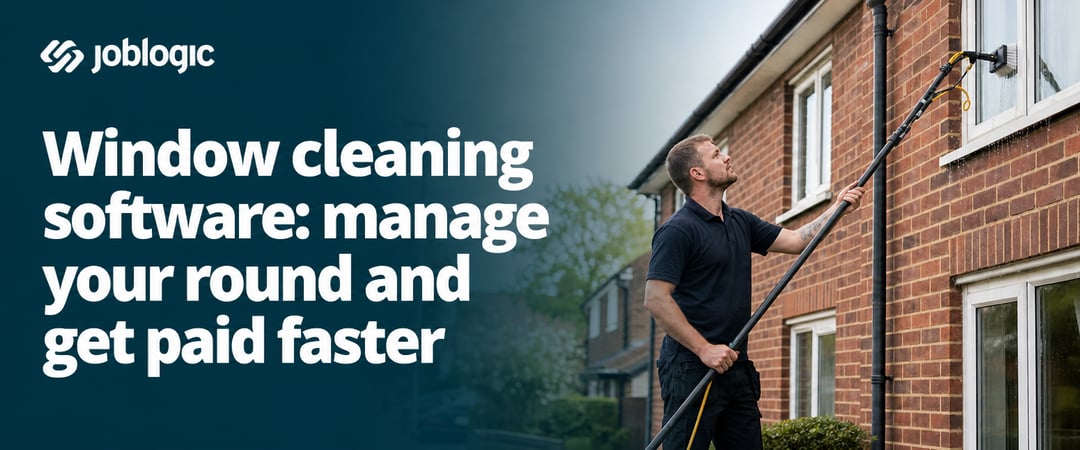
Relying on a round book can work until the round gets more complicated than a page can hold, a customer's holiday knocks a routine out of step, or the book itself gets left out in the rain and a week's work goes with it. Window cleaning software exists to take that risk out of the round.
An invoice goes out late because the job was never logged properly. Before long, cleaning the windows becomes secondary to the admin.
What window cleaning software actually does
Window cleaning software manages your round from booking through to payment: scheduling, customer records, job tracking, invoicing, and collection all sitting in one system, so nothing needs to be re-keyed between tools or typed up from scraps of paper.
Software builds that round automatically, creating recurring visit dates from the schedule you set for each property. Everything else connects from there: cleaner access in the field, real-time job status, and payment collection once the work is done.
Scheduling recurring work and managing your round
With a drag-and-drop scheduling view, you can see your full workload at a glance and move jobs between cleaners with a single click. Grouping visits by area with route planning means your team spends less time travelling between properties.
When a customer changes their schedule or cancels a visit, you update it once, and every future visit in the round reflects that change automatically.
Customer records, property notes, and job history
Every property in your round has its own record in the system. That record stores contact details, access instructions, customer preferences, and the full history of every past visit.
Cleaners can read that information from their phone before they arrive. They do not need to ring the office to ask whether the side gate needs a key or which windows are included.
When new cleaners join the team, they can pick up any job with the full context already in front of them. The standard of service stays consistent because the information travels with the job, not with the person who has always done that round.
Invoicing, payments, and getting paid faster
Window cleaning runs on lots of small, regular payments rather than a handful of large invoices. Chasing £20 for a missed payment, or checking a diary to work out who still owes for last month's clean, eats into time that should go toward the round.
Software closes that gap by generating an invoice automatically the moment a cleaner marks a visit done. Give customers a customer portal and they can view their invoice and pay online themselves, instead of waiting for you to knock and take a card payment at the door.
Outstanding balances show up clearly in the system. You can see exactly what has been paid and what has not, without working through a paper trail or chasing by phone.
How real-time updates connect your office and field
When a cleaner updates their progress on the mobile app, the status changes instantly in the back-office system, so the office knows what's happening in the field without making a phone call.
You can track who is travelling, who is on site, and who has finished their last job. That visibility helps you respond quickly when something changes during the day, whether that's a customer cancellation or a cleaner running behind.
Cleaners can also capture proof of work on site: photos, digital sign-off, or a completed job form noting whether it was a traditional squeegee clean or a water-fed pole job. That record sits against the visit and can be shared with the customer if there's ever a question about what was done.
How better visibility improves the way you run the business
When scheduling, customer records, and invoicing all sit in one system, you get a clear picture of how the business is performing instead of relying on memory or gut feel to know what's happening across the round.
Dashboards show which routes are profitable, where jobs are being missed, and what revenue is outstanding, so you can take on new customers without losing control of the work you already have.
Here's what that looks like in practice:
- Profitability: see which routes and customers contribute most to revenue
- Outstanding jobs: spot visits that haven't been completed or logged, before a customer has to chase you about it
- Team performance: see which cleaners are getting through the most jobs, so you can spot who needs support or a lighter round
What to look for when choosing window cleaning software
The right software needs to be quick to set up and simple to use from day one. A long implementation project is not realistic when you have a round to run.
Some platforms are built specifically for solo operators. Others scale to support teams of 10 or more cleaners. Knowing the size of your operation before you start comparing tools will narrow down your options quickly.
| Criteria | Why it matters |
|---|---|
| Recurring scheduling | Visit dates generated automatically each cycle |
| Mobile access for cleaners | Job details and forms on site, no calls to the office |
| Integrated invoicing | Invoice raised the moment a job is marked done |
| Customer portal | Clients view and pay without contacting you directly |
| Reporting and dashboards | One place to see route profitability and outstanding work |
| Onboarding support | Hands-on help getting set up, with support you can reach afterwards |
How Joblogic handles window cleaning
For commercial contracts with a fixed term and renewal date, PPM contract management keeps the agreement on record alongside the visits it generates. Every completed job feeds into job costing, so you get a profit and loss figure per job as the work happens. If you already use Sage, Xero, QuickBooks, KashFlow, or FreeAgent, invoices sync across without double entry.
A round book only holds so much
A missed page or a soaked book costs you the referral a happy customer would have given you for the house next door. Book a demo and we'll show you how Joblogic keeps your round, your invoices, and your customers in one place.
Frequently asked questions
After reading this guide, you may still have questions about how window cleaning software works in practice. The answers below cover what businesses most commonly ask before making a decision.
What is the difference between window cleaning software and a standard scheduling app?
Standard scheduling apps handle appointment booking. Window cleaning software is built around recurring rounds, with route planning, automatic repeat visits, and invoicing tools that a generic calendar app cannot replicate. It also automates the recurring billing that comes with an ongoing round.
Can window cleaning software handle both residential and commercial customers in the same system?
Yes. Most platforms let you manage both customer types together, with different pricing, visit frequencies, and invoice formats applied to each. Commercial contracts can also carry their own renewal date and terms, separate from your residential round.
Does window cleaning software work when cleaners have no mobile signal on site?
Yes, if the software includes a proper mobile app. Cleaners can view job details and access instructions offline, and everything syncs back to the system once signal returns, so no visit gets missed because a phone couldn't load a page.
How do you move an existing paper round into software?
Most platforms let you import customer and property data in bulk from a spreadsheet. A well-supported onboarding process can have you up and running within a few days, depending on the size of your round. It's worth checking whether the provider helps with that import, so you're not left to reformat a spreadsheet yourself.
Can customers see when their next visit is booked?
Yes. A customer portal lets clients log in and view their scheduled visits, past job history, and outstanding invoices without needing to call or email you. This also reduces the number of calls your office gets asking to confirm or move a booking, since customers can check it themselves at any time.
How does window cleaning software reduce the time spent chasing late payments?
Invoices are sent automatically when a job is marked complete, so there is no manual step between finishing the work and billing for it. Customers can pay online straight away, and outstanding balances remain visible in the system until they are settled.
What happens if a customer complains about a missed window or a poor clean?
You can pull up the photos and notes logged at that visit to see what was actually done, and schedule a free re-clean as an extra visit without disrupting the rest of the round.