Live Chat



.png)






Job Sheet templates: The complete guide
- What is a Job Sheet?
- What Should a Job Sheet Template Include?
- Create Your Own Custom Job Card Template
- How are Digital Job Sheets Beneficial?
- Create Digital Job Sheets on the go via Our Mobile App
The field service management and maintenance industry is a fast-paced, competitive environment, where business owners all understand the importance of improving business processes and productivity. Using job sheets can be a great way to achieve both, and with our job sheet software, it’s made even easier.
To get started, download one of our free job sheet templates below, or book a demo with one of our experts today to find out how Joblogic can help make your operations run that bit smoother.
Free downloadable Job Sheet Templates
Designed for maintenance and service teams, in a ready to edit format
Still using paper job sheets?
Templates are a great starting point, but many service businesses quickly outgrow them. With Joblogic's mobile engineer app, you can:
- Generate job sheets automatically
- Send them directly to the engineers' mobile devices
- Capture signatures, photos, and notes on site
- Turn completed job sheets into invoices instantly
Book a free demo today to see how Joblogic can streamline your entire job management process.
What is a Job Sheet?
A job sheet is a document that provides field service engineers with the information they need to complete a job, while also recording the work carried out on-site.
Typically, job sheets are created by the office team and issued to engineers before attending a job. Once the work is completed, the engineer fills in the relevant details and returns the sheet for administrative processing.
Job sheets play an important role in helping businesses track completed work, record labour and materials used, provide documentation for customers, and generate invoices accurately. Without a clear job sheet process, businesses can quickly experience issues such as missing information, incorrect billing, or delayed reports.
What Should a Job Sheet Template include?
While job sheet templates vary depending on industry, most follow a similar structure and include several key sections. Common fields include:
- Customer details: Name, site address, phone number, and email, so engineers know exactly where the job is taking place.
- Job details: Job number, work order reference, description of the work, and scheduled dates.
- Costing and materials used: Parts used during the job and the quantities required for accurate billing.
- Site visit details: Labour time, travel time, or arrival and departure times recorded by the engineer.
- Notes and recommendations: Space for engineers to record work completed or highlight additional issues.
- Asset information: Equipment IDs or descriptions for businesses managing maintenance or servicing work.
- Sign-off and attachments: Engineer and customer signatures, plus optional on-site photos.
Create your own custom Job Card Template
Our free templates include the most common fields required for managing service jobs. However, every business operates slightly differently, and you may need additional information depending on your processes. For example, you might want to add:
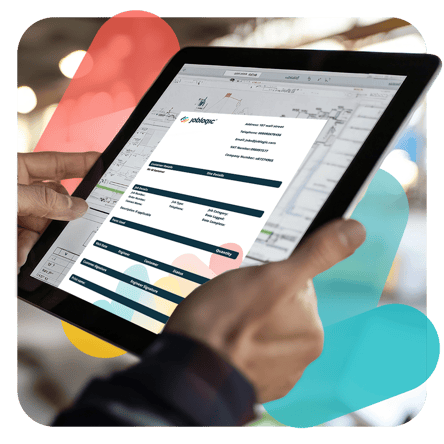
- More detailed job descriptions
- Safety checks
- Compliance documentation
- Additional asset tracking fields
If you’re currently using spreadsheets or paper templates, customisation can quickly become difficult to manage.
This is where digital job sheet software becomes valuable. Using Joblogic, businesses can build fully customised digital job sheets tailored to their specific workflow, ensuring engineers always have the information they need before arriving on site. Book a free demo and see Joblogic in action.
How are Digital Job Sheets Beneficial?
Whilst paper-based methods are still common, the need to digitise information is becoming far more apparent.Given the nature of information included, filling out a paper-based job sheet can be time consuming and an extra burden on admin, as well as difficult to recover if lost. In addition, paper sheets don’t allow you to analyse productivity and business KPI insights to the degree that digital job sheets facilitate.
If you have multiple field staff working at different sites, it’s crucial that you’re able to manage and share job information easily. Joblogic’s job sheet software can help to digitise all maintenance job sheet templates. This allows managers to create, store and share documents with workers and customers in real-time.
This method is also very intuitive, helping workers and managers to understand the information that’s expected for each text field. It also highlights the implications that filling it in incorrectly, or not at all, can have on the business.

Why digital job sheets are more efficient
Although many businesses still rely on paper-based job sheets, manual processes often create unnecessary admin work.
Paper job sheets can easily be lost or damaged, missing key information, returned late by engineers, and time-consuming to process. Digital job sheets, on the other hand, eliminate many of these problems by allowing engineers to complete reports electronically while on site.
Digital job sheets also allow businesses to track productivity, monitor engineer performance, generate accurate reports, and improve customer communication.
With Joblogic job sheet software, managers can create, store, and share job sheets in real time, giving both office staff and engineers full visibility of job progress. Book a free demo and see how Joblogic generates job sheets automatically.
Complete job sheets on-site the mobile engineer app
For field service teams, speed and simplicity are essential.
Joblogic’s mobile engineer app allows engineers to complete job sheets directly from their smartphone or tablet while on-site. This removes the need for paper forms and reduces the time spent returning documents to the office.
Engineers can:
- View assigned jobs instantly
- Record labour and materials
- Upload photos from the site
- Capture customer signatures
- Submit completed job reports immediately
This helps businesses reduce admin time while ensuring job records are accurate and up to date.
Ready to move beyond paper job sheets?
Free templates are a great starting point for organising your job information. However, as your business grows, managing job sheets manually can quickly become time-consuming. With the Joblogic mobile engineer app, you can create digital job sheets automatically and send them directly to engineers, capture photos and signatures on-site, generate professional reports for customers, and reduce paperwork and admin time.
Used by service businesses like yours
Joblogic is used by service businesses including:
- Electrical contractors
- HVAC companies
- Maintenance providers
- Plumbing businesses
- Facilities management teams
We’ve slashed job-related man-hours by 50% with Joblogic. Every job is now monitored, processed, updated, and invoiced in half the time, doubling our operational efficiency.
- Barry Russell, General Manager, RDA Service & Installations Ltd
Speak to an expert about how we can help your business.