 Live Chat



.png)





Written by: Joblogic
What is a job sheet app?
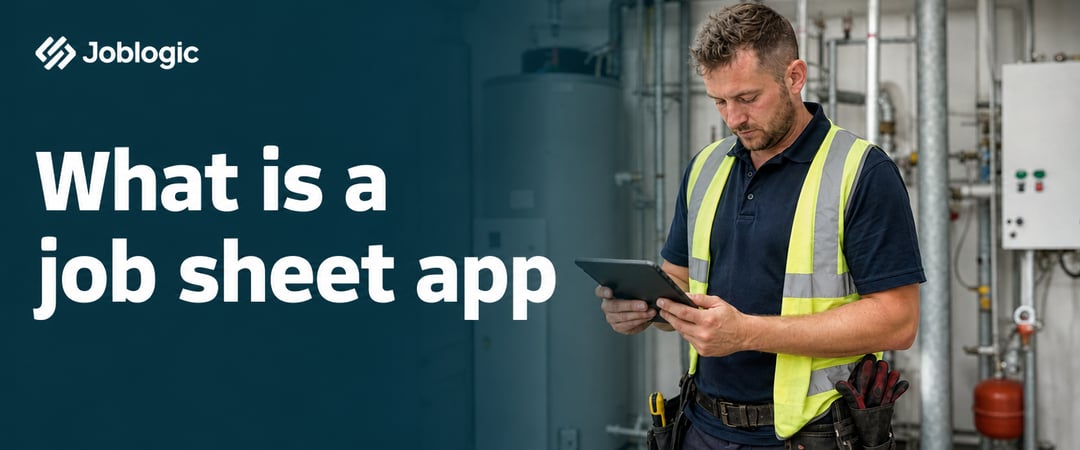
A job sheet app moves the job sheet from paper to a mobile device, updated live as the engineer works. Engineers use it to receive job details, record work completed, capture customer signatures, and send the finished record back to the office the moment they leave site.
A traditional paper job sheet covers customer details, the job description, parts used, time on site, and a sign-off. A job sheet app digitises this entire process and typically sits inside broader field service management (FSM) software. The result is a live connection between field engineers and office staff through a single shared system.
A missing form, a delayed invoice or a completed sheet that takes days to reach the office are common reasons teams start looking for a job sheet app. The sections below cover who uses them, what to look for and how to get started. For ready-made layouts, see our free job sheet templates.
What is the best digital job sheet app?
The best digital job sheet app is the one your engineers use on every job. In practice that means it works offline, matches the forms you use, captures photos and signatures, and passes parts and labour straight into invoicing, so nobody retypes anything. Use this checklist to compare any job sheet app, including Joblogic's:
| What to check | Why it matters | How Joblogic's job sheet app handles it |
|---|---|---|
| Offline working | Engineers still need to complete sheets in basements, plant rooms and remote sites | The app works entirely offline and sends the record to the back office when a signal returns |
| Forms and checklists that match your jobs | Different jobs need different fields, and compliance work needs set checks | Custom job sheet templates, plus default and custom-built checklists, with your own fields and branding |
| Photos and signatures | The evidence behind the invoice, and protection if there is a dispute | Engineers add photos and notes and capture customer signatures in the app |
| Parts and labour | Accurate invoices without chasing engineers | Engineers log parts used, additional parts requests, travel times and job completion times, and invoices can be created automatically |
| Customer access | Faster sign-off and fewer queries | Customers can access job sheets by email or through the customer portal, depending on your plan |
| Fit with scheduling and invoicing | A job sheet app on its own still leaves re-keying between systems | Job sheets sit in the same system as scheduling, quoting and invoicing |
| Pricing | Costs vary by plan and by number of users | Joblogic is priced by plan, so check the pricing page against the features you need |
That checklist works whichever vendor you evaluate. Ask each one to run a real job of yours through the app, offline, rather than a demo account.
If you are weighing Joblogic against a specific tool, see our comparisons: Joblogic vs Simpro, Joblogic vs BigChange, Joblogic vs ServiceM8 and Joblogic vs Tradify.
Who uses job sheet apps?
Job sheet apps are used across service and maintenance businesses of all sizes, from small contractors to companies managing hundreds of engineers across multiple contracts.
The roles that rely on digital job sheets day to day include:
- Field engineers: receive job instructions on their mobile device, complete digital forms on site, and capture photos and signatures before leaving
- Service Managers: create jobs, assign engineers, and track progress in real time without waiting for paperwork to return
- Operations Directors and Contract Managers: review completed job sheets to check compliance, resolve disputes, and approve invoices
- FM Contract Managers: use job sheet records to oversee planned and reactive maintenance across multiple sites or buildings
Trades such as HVAC, plumbing and heating, and electrical maintenance use job sheets every day, as do facilities management teams responsible for multi-site estates, where consistent mobile job sheets help maintain delivery standards across different locations and contracts.
The common thread across all these roles is a dependence on accurate, timely records. Paper makes that harder as a business grows.
Why teams move from paper to digital job sheets
Paper job sheets work at small scale. As volume increases, the problems build up.
Common problems with paper job sheets include:
- Delayed records: paper sheets sit in vans until engineers return to base, leaving the office working from old information
- Manual re-entry: office staff key job details by hand into separate systems, creating a duplication risk and wasting time
- Lost paperwork: a missing form can delay an invoice, cause a compliance failure, or create a dispute with a customer
- No real-time visibility: managers have no way to see job progress until paperwork physically arrives
The financial impact is easy to underestimate. Delayed records slow down the job-to-invoice process, and that delay directly affects cash flow. This is especially true for ad-hoc jobs. For example, a reactive callout completed on a Tuesday can sit unprocessed until an engineer returns to base on Friday. A form sitting in a van overnight is a hidden productivity drain that widens the gap between completing the work and getting paid for it. Switching to digital job sheet software closes this gap and gives the office live information the moment an engineer marks a job complete.

What a good job sheet app should include
Not all job sheet software is built the same way. The best platforms go beyond digitising a form and connect the job record to scheduling, stock, and invoicing so the whole workflow moves together.
There are three areas to look for when you are evaluating digital job sheets.
Job details, labour, and parts
A complete digital job sheet captures everything the engineer needs on site and everything the office needs to raise an accurate invoice. This includes the job description, customer and site details, labour time, and materials used.
When this data flows directly into invoicing, you avoid handling the same information twice. Engineers record parts used on site, and the office can raise an invoice with accurate figures straight away, without a phone call or a follow-up email to confirm what was used.
For businesses running planned preventive maintenance (PPM) contracts, this matters even more. When engineers complete scheduled visits across multiple assets, having parts and labour recorded accurately on each job sheet means billing can follow the contract terms without manual reconciliation or chasing engineers for details after the fact.
Some platforms also link parts recorded on a job back to stock levels automatically. This keeps your inventory accurate as engineers complete work, rather than requiring a manual reconciliation at the end of the week.
Photos, signatures, and attachments
Capturing before-and-after photos, customer signatures, and file attachments directly within the job sheet creates a reliable audit trail. Evidence links automatically to the job record, so there is nothing to chase after the visit.
On signatures, Section 7 of the Electronic Communications Act 2000 makes an electronic signature admissible in evidence in legal proceedings, on questions of whether a record is genuine and whether it has been altered. The Act describes an electronic signature as something in electronic form that is linked to the record and purports to be used by the person creating it to sign. Admissible means a court can consider it; the Act does not say how much weight it carries.
For businesses working under service level agreement (SLA)-driven contracts or in regulated industries, built-in evidence capture protects both the business and the customer if a dispute arises about what was done, when, and to what standard. On PPM contracts in particular, consistent evidence across every planned visit makes the audit trail credible.
Photos and signatures are the proof behind the invoice. When they are part of the job sheet rather than stored separately, the complete record is always in one place and accessible instantly.
What to put on a job sheet
Whatever app you choose, the job sheet itself should capture the same core information:
- Company and site details: the customer, the site address and contact information
- Job description: the job number, type, category and any order number
- Parts used or required: part names and quantities
- Visit details: labour and travel time, and the outcome of the visit
- Notes: the engineer's record of the work completed
- Asset details: the asset number, description and location
- Job tasks: any tasks or sub-tasks, with their status
Our job sheet templates show how these fit together on a page.
How a mobile job sheet app works
A mobile job sheet app connects the office and the field through a shared workflow, so both sides are always looking at the same information.
Here is how a typical job runs from creation to completion:
- A job is created by the office team or logged through a customer portal
- The job is scheduled and dispatched to the right engineer based on skills, location, and availability
- The engineer receives the job on their mobile device with the job details, customer information and job history
- On site, the engineer completes the digital job sheet, records parts used, adds photos, and captures a customer signature
- The completed sheet returns to the office, updating the job record and triggering the next step such as invoicing or a follow-up visit
One specific capability worth checking before you choose a platform is offline mode. Engineers working in basements, plant rooms, or areas with poor signal still need to complete their job sheets. A good app lets them work without a connection and syncs the data once connectivity returns. Without offline support, engineers may revert to paper on difficult sites, which creates the same delays you were trying to avoid.
How Joblogic handles job sheets
Engineers complete job sheets on Joblogic's mobile engineer app, which is available on iOS and Android and works fully offline where signal is unreliable. The record is sent to the office as soon as connectivity returns.
Job sheets are built from customisable templates, so the fields your engineers see on site match the type of work involved, whether that's a reactive callout or a scheduled PPM visit. Parts, labour, and job notes recorded on the sheet feed into invoicing, and photos, signatures, and checklists attach to the job record for a complete audit trail.
Because Joblogic is cloud based, completed job sheets are stored in one place and the office works from the same record as the engineer. Customers can also access completed sheets by email or through the customer portal, depending on your plan, which helps speed up sign-off and payment.
Getting started without disrupting your team
Switching to a digital job sheet app changes how your engineers work every day, so plan it as a small project. Getting started typically involves three steps:
- Set up job templates: configure the fields and forms your engineers will see on site, based on the types of work you carry out across your contracts
- Invite engineers to download the app: engineers can use their existing mobile device, so you do not need to buy new hardware to start
- Run a short pilot: consider running digital and paper side by side on a few jobs to build confidence before switching over completely
How long setup takes depends on how many job types, forms and users you have. Most of the work is building templates, so ask your provider for a realistic timeline for your business and for help with your first templates before go-live. The quality of onboarding support makes a meaningful difference at this stage. Joblogic offers onboarding support and ongoing help, so your team has someone to contact when a question comes up. If you want to see how this works for your business, book a demo and speak with a specialist who can walk you through the platform.

Choosing a job sheet app
A job sheet app earns its place when it works offline, matches your jobs, captures evidence and feeds invoicing. Use the checklist in this guide, run a real job through each option you shortlist, and plan a short pilot before you switch fully. To see Joblogic's job sheet app working on your own jobs, book a free demo.
Frequently asked questions
Here are the questions that come up most often once teams have a clear picture of how job sheet apps work.
Can a job sheet app work without a mobile signal?
Yes. A good job sheet app works offline, allowing engineers to complete forms in locations without signal. Joblogic's app works entirely offline, and the record is sent to the office when the device reconnects.
What is the difference between a job sheet and a work order?
A work order is the instruction to carry out a job. A job sheet is the record of what was actually done on site. In a digital system, both documents link to the same job record so the instruction and the outcome always sit together.
Is a mobile job sheet app the same as job sheet software?
A mobile job sheet app is the part of the platform that engineers use on their phone or tablet in the field. Job sheet software refers to the full platform, which also includes scheduling, invoicing, and reporting tools for the office team.
How long does it take to set up a job sheet app for a field team?
It depends on how many job types, forms and users you have. Most of the work is building templates, so ask your provider for a realistic timeline for your business and for help with your first templates before go-live, so engineers are not learning and configuring at the same time.
What is the best digital job sheet app?
The best digital job sheet app is the one your engineers use on every job. That means it works offline, matches the forms you use, captures photos and signatures, and passes parts and labour into invoicing. Use the checklist in this guide to compare options, and run a real job through each one before you decide. You can see how Joblogic job sheets handle each point.
Does Joblogic have a mobile app for engineers?
Yes. The Joblogic mobile app is available on iOS and Android. Engineers use it to receive jobs, complete digital job sheets, add photos and notes, capture customer signatures and log parts and times on site, and it works offline where signal is poor.
How does cloud sync help mobile engineers?
Joblogic is cloud based, so the job sheet an engineer completes on site is stored in one place and the office works from the same record. Engineers can keep working offline, and the record is sent to the back office once the device has a signal.