 Live Chat



.png)





Written by: Joblogic
What is field service scheduling software?
Field service scheduling software is a tool that helps service and maintenance businesses assign, plan, and track jobs across a mobile workforce. It replaces manual methods like spreadsheets and phone calls with a central system where office teams can see engineer availability, job progress, and location in real time.
Scheduling is a core function within broader Field Service Management (FSM) software, which also covers dispatching, invoicing, asset management, and reporting. Most businesses find that having these functions connected in one platform, rather than spread across separate tools, is where the real operational value comes from.
At its core, the software handles four things:
- Job allocation: Assign work to engineers based on their skills, location, and availability
- Visual planning: Move jobs across a drag-and-drop planner or calendar view
- Real-time tracking: Monitor where engineers are and the current status of each job throughout the day
- Automated matching: Let the system suggest the best engineer for each job based on rules you configure
Why scheduling problems hold service businesses back
Once you understand what FSM software does, it is worth looking at what typically goes wrong without it. Poor scheduling creates a chain of operational problems that get harder to manage as your business grows.
Managing planned preventive maintenance (PPM) alongside reactive callouts is where this becomes especially difficult. Ad-hoc jobs are often created with incomplete information: missing site details, no assets linked, vague descriptions. That poor setup causes problems long before an engineer arrives on site. Without a shared view of engineer availability and job priorities, your team ends up making decisions with incomplete information.
These are the warning signs that your scheduling process is under strain:
- Engineers arriving on site without the right parts or job information
- Office staff fielding calls from customers asking where their engineer is
- Jobs slipping past SLA deadlines because priorities were not visible across the team
- Reactive callouts disrupting planned maintenance schedules at the last minute
- Engineers completing jobs but unable to close them out because parts were unavailable and nothing flagged it in advance
Key benefits of field service scheduling software
Solving those problems is not simply about adopting new software. It is about giving your team the structure to make better decisions, faster. Here is what good scheduling software delivers in practice.
Faster job allocation and dispatch
Field service dispatch software cuts the time between a job being logged and an engineer being sent out. Automated assignment rules match jobs to engineers based on qualifications, proximity, and current workload. Your dispatchers spend less time on the phone and more time managing the exceptions that need genuine attention.
For businesses handling a high volume of both planned and reactive work, this directly increases the number of jobs completed each day without adding headcount. When subcontractors are part of your delivery model, the same rules apply: clear job scopes and structured assignment mean fewer miscommunications and fewer return visits caused by engineers arriving unprepared.
Real-time visibility for office and field teams
A live planner or map view gives office staff a clear picture of every engineer's location, progress, and availability at any point in the working day. Engineers receive job details, asset histories, and compliance checklists directly on their mobile app, so they arrive on site prepared rather than calling the office for information mid-journey.
This two-way flow of information cuts unnecessary contact in both directions. Office teams stop chasing updates, and engineers stop calling for paperwork they should already have.
Compliance tracking and record-keeping
Mobile field service software ensures that compliance-critical jobs, such as gas safety checks and electrical inspections, are never overlooked. The system surfaces upcoming deadlines and sends automated reminders before visits are due.
For businesses running PPM contracts, this is where structure pays off. Each planned visit is tied to the right assets, tasks, and evidence requirements from the start, so your audit trail is complete by the time the engineer leaves. Evidence is captured on site through digital forms, photo uploads, and customer signatures, with no chasing required afterwards.
Customer communication and satisfaction
Automated notifications keep customers informed at every stage, from booking confirmation through to job completion. A customer portal lets clients check job status and download reports without calling your office.
Fewer inbound enquiries means your team has more capacity to focus on delivery. That shift in available time adds up quickly across a busy week.
How Joblogic handles scheduling in practice
Joblogic is built for UK service and maintenance businesses that need scheduling to sit inside a connected FSM platform, not as a bolt-on. Key features include:
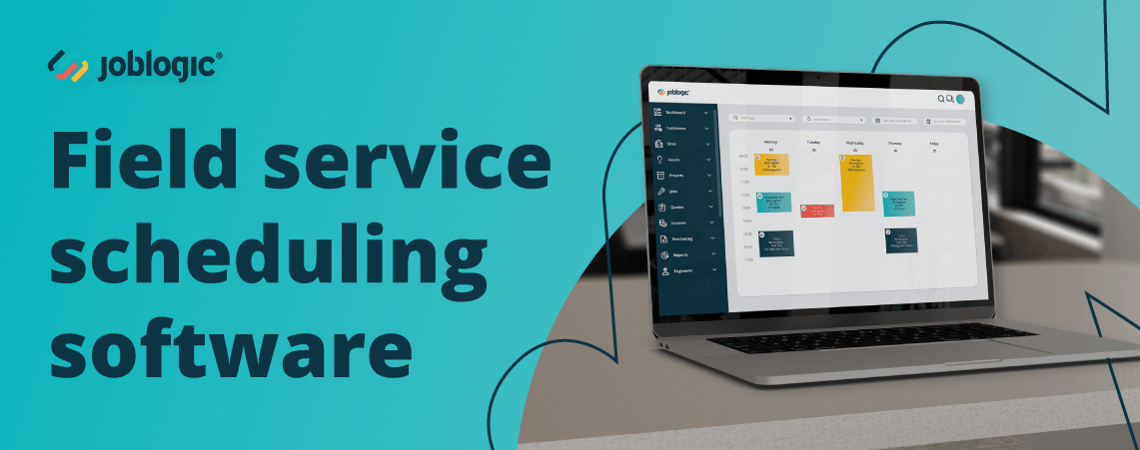
- Drag-and-drop planner: a visual board showing every engineer, their current jobs, and availability in a single view. Move jobs between engineers or time slots instantly when priorities change.
- Dynamic Scheduler: automates engineer allocation using rules you configure around skills, location, and workload. The system proposes the best engineer for each job and updates routes in real time as the day shifts.
- Live engineer tracking map: shows where every engineer is and the status of each active job throughout the day, updated directly from the Joblogic mobile app.
- PPM scheduler: generates recurring visits automatically based on asset, contract, and frequency. Each visit is pre-loaded with the right asset history, compliance forms, and task lists before the engineer arrives on site.
Field service scheduling by sector
Scheduling looks different depending on what your business delivers. Here is how Joblogic applies across the most common service and maintenance sectors:
- FM contract managers: the PPM scheduler generates visits automatically per site and surfaces SLA risks before they become breaches, so you are managing by exception rather than firefighting. Parr FM reduced invoicing time per job from 15 minutes to around one minute after moving to Joblogic.
- HVAC and refrigeration: skill-based allocation ensures F-Gas jobs only go to certified engineers, and the mobile app prompts refrigerant logging before a job can be closed. Accent Services grew from £5 million to £20 million in revenue with Joblogic scaling alongside them throughout.
- Electrical contractors: EICR jobs arrive on site pre-loaded with the right compliance forms and certificate templates. Reactive callouts are allocated against live engineer availability, not a static rota. William Austin Services recorded a 20% faster job turnaround after moving to Joblogic.
Features to look for in field service scheduling software
Knowing the benefits is one thing. Knowing what to actually evaluate when comparing platforms is where many buyers get stuck. Not all scheduling tools offer the same depth, and it is worth checking whether the software supports your full job lifecycle before committing.
| Feature area | What to look for |
|---|---|
| Scheduling and planning | Drag-and-drop planner, recurring job templates, skill-based allocation |
| Mobile access | Engineer app with offline mode, digital forms, photo and signature capture |
| Tracking and visibility | Live GPS map, job status updates, engineer availability view |
| Asset management | Asset registers, QR code tagging, maintenance history per asset |
| Reporting | Customisable dashboards, job completion rates, SLA performance |
| Integrations | Accounting software, field service CRM, and existing business systems |
| Invoicing and payments | On-site invoice generation, customer portal payments |
Offline access deserves particular attention. Engineers often work in areas with poor connectivity, so confirm that the mobile app continues to function without a live internet connection and syncs records automatically once signal is restored.
How to choose the right field service scheduling software
The features above give you a framework, but choosing the right platform also depends on the size and shape of your operation. Field service software for a small business has different priorities than field workforce management software built for a team of 50 or more engineers.
Work through these questions before you shortlist providers:
| Question | Why it matters |
|---|---|
| Will it scale as you add engineers and contracts? | Software that hits a ceiling forces a disruptive migration at exactly the wrong time |
| Can office staff and engineers get up to speed quickly? | Long training periods delay the return on your investment and reduce adoption |
| Does the provider offer hands-on onboarding? | Configuration support at the start saves months of trial and error |
| Is it built for UK businesses? | VAT handling, British compliance standards, and local support are not guaranteed with overseas platforms |
| Does it cover the full job lifecycle in one place? | Scheduling, quoting, invoicing, asset management, and reporting in separate tools creates the same data gaps you are trying to fix |
Joblogic works with businesses across HVAC, electrical maintenance, facilities management, and other trades to configure the platform around their specific workflows. Support continues long after the initial setup, and the platform covers subcontractor work and equipment sales if those are part of your operation.
Why UK service businesses choose Joblogic
Most scheduling tools handle job allocation and a calendar view. Joblogic goes further: scheduling sits inside a connected platform covering quoting, invoicing, asset management, compliance, and reporting, so the decisions you make in the planner connect to every other part of the job lifecycle.
East West Connect grew maintenance turnover from £6.5 million to £20 million after adopting Joblogic, with that growth attributed directly to capturing every job, faster invoicing, and complete operational visibility.
If you want to see how it works for your business, book a demo and one of our specialists will walk you through the platform.
Frequently asked questions
The questions below come up regularly from people who are evaluating field service scheduling software for the first time.
What is the difference between field service scheduling software and FSM software?
Scheduling software focuses specifically on assigning and planning jobs for engineers. FSM software covers the full job lifecycle, including dispatching, quoting, invoicing, and asset management. Most modern FSM platforms include scheduling as a built-in feature rather than a separate tool.
Can field service scheduling software manage both PPM and reactive jobs on the same planner?
Yes. Most platforms display planned PPM visits and reactive callouts together, so you can see how reactive demand affects your existing schedule and adjust engineer allocation in real time without switching between views.
How does field service scheduling software support engineers working in areas with poor mobile signal?
Most platforms include an offline mode within the mobile app. Engineers can access job details, complete digital forms, and capture evidence without a live connection. Records sync automatically once signal is restored.
What should I prioritise in field service scheduling software if I run a small team?
Look for a platform that is straightforward to set up and does not require long training periods. Check that it handles PPM and multi-site work if you plan to grow into those areas, so you are not changing systems again in two years.
Does field service scheduling software integrate with accounting tools like Xero or Sage?
Most modern FSM platforms include integrations with common accounting software, so job costs and invoices transfer between systems without manual data entry. Check integration depth before committing, as some platforms sync only basic invoice data while others pass through full job cost breakdowns.
Which businesses use Joblogic for field service scheduling?
Joblogic is used by HVAC engineers, electrical contractors, FM providers, fire and security businesses, plumbing and heating companies, and multi-trade service contractors across the UK. The platform is designed for businesses running a mix of PPM contracts and reactive work, typically with between 10 and 200 engineers.
How long does it take to set up Joblogic?
Implementation timelines vary depending on the size of your operation and how much data you are migrating. Most teams are operational within a few weeks, with the onboarding team configuring the platform around your specific workflows rather than asking you to adapt to a default setup.