 Live Chat



.png)





Written by: Joblogic
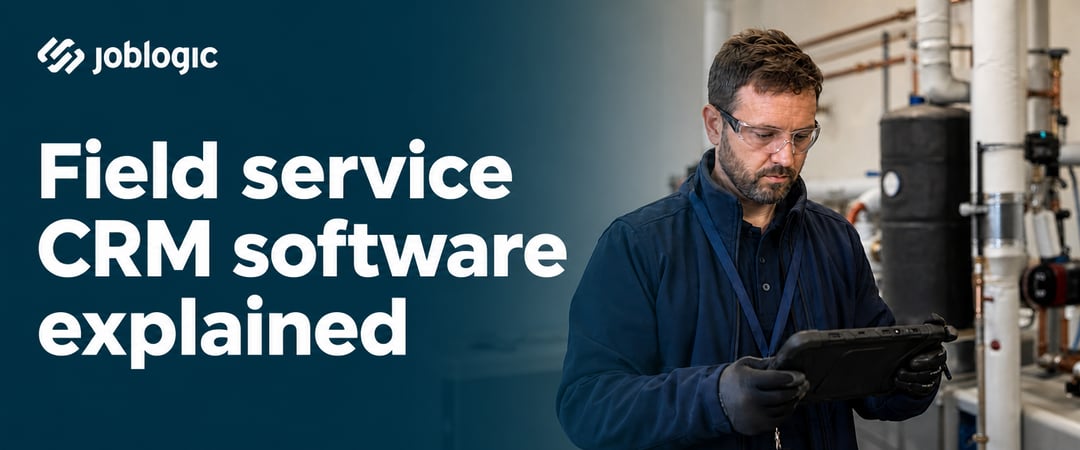
Field service Customer Relationship Management (CRM) software centralises customer records, job histories, quotes, invoices, and site information in one place, built specifically for businesses managing mobile engineers across customer sites. Unlike a generic CRM, it connects your office team, your field engineers, and your customers through a shared, real-time view of every job.
A generic CRM tracks contacts and sales activity. A field service CRM manages the full job lifecycle, from the first customer call through to scheduling, on-site work, completion, and invoice.
Operations Directors and Service Delivery Managers reach a point where spreadsheets, shared inboxes, and disconnected tools can no longer keep pace with job volume. A field service CRM gives everyone in your business, from the office to the field, one accurate picture of what is happening across every customer and every job.
What does field service CRM software do?
Once a job is raised, a field service CRM manages every step that follows. It assigns the job to an engineer, keeps the customer informed, captures evidence on site, and carries the job through to invoicing, all without your office team chasing updates manually.
The core capabilities cover the full job lifecycle:
- Job scheduling and dispatch: Assign engineers based on location, availability, and skills.
- Customer and site records: Store service history, asset details, certificates, and notes.
- Mobile access for engineers: Give field teams job information, digital forms, and evidence capture on a mobile app.
- Automated notifications: Send customers email and SMS updates at each stage of a job.
- Quoting and invoicing: Convert quotes to jobs and generate invoices without re-entering data.
- Reporting and dashboards: See first-time fix rates, job volumes, and engineer performance against every job logged, without pulling data from separate spreadsheets.
Schedule and dispatch work more efficiently
Scheduling is where many Service Delivery Managers lose the most time. Assigning jobs manually, coordinating by phone, and managing engineer diaries in spreadsheets all slow the office down. A drag-and-drop scheduling board puts a stop to this.
It lets you allocate jobs based on who is available, where they are, and whether they have the right skills for the work. This applies whether you are managing ad-hoc callouts or planned preventative maintenance visits under a contract.
Route optimisation reduces unnecessary travel between jobs. Your engineers spend more time working and less time driving.
Keep customer, site, and job data connected
Every time an engineer visits a site, the record of that visit, including photos, forms, signatures, and notes, is added to the customer's history. The next engineer to attend that site has full context before they even arrive. This reduces repeat questions, speeds up diagnosis, and improves your first-time fix rate.
For Contract Managers running planned preventative maintenance (PPM) contracts, this connected history is especially important. When asset records, visit schedules, and compliance certificates are all held in one place, your team can see what has been done, what is due, and what is outstanding, without relying on a separate spreadsheet.
A self-service portal lets customers check job status, download reports, and raise new requests without calling your office.
Automate updates, evidence, and invoicing
Automated notifications send updates at key stages, such as when an engineer is on the way or when a job is complete, without anyone in the office needing to make a manual call or send an email. When jobs flow directly from completion to invoicing, Finance Managers get paid faster, since engineers submit completed job records on site rather than leaving paperwork to chase at the end of the day.
This is particularly valuable when quoting for remedial work identified during a visit. Rather than relying on verbal notes or email chains, engineers can capture evidence on site, and that information feeds directly into a structured quote, with labour and parts drawn from a standard library. It keeps pricing consistent for the Finance Manager approving it and the process clear for the Field Engineer raising it.
Field service CRM vs. field service management software
Field Service Management (FSM) software and a standalone CRM both manage customer data, but their scope is very different. A standard CRM was not built to handle engineers in the field. If your business manages planned maintenance, compliance certificates, or asset-level service histories, a CRM alone will leave gaps.
| Field service CRM | FSM software | |
|---|---|---|
| Primary focus | Customer data and communication | End-to-end job lifecycle |
| Scheduling | Basic or via integration | Built-in, intelligent scheduling |
| Mobile engineer app | Limited or third-party | Purpose-built with offline capability |
| Asset and compliance tracking | Rarely included | Core functionality |
| Invoicing and billing | Often requires integration | Integrated into the job workflow |
Many Operations Directors choose an FSM platform that includes CRM functionality, rather than running both systems separately. This removes the need to cross-reference data between tools and keeps the team working from a single source of truth.
What to look for in field service CRM software
Not every platform marketed as field service CRM software is built for managing engineers across multiple sites and contracts. Some systems offer strong customer record management but fall short when it comes to field operations or compliance tracking.
These are the capabilities Operations Directors should evaluate most closely:
- Offline mobile app: Engineers must be able to work without signal and sync records automatically when connection is restored.
- Integrated scheduling and route planning: Look for a scheduling board with route suggestions, not just a basic calendar view.
- Customer portal: Clients should be able to track jobs and raise new requests without contacting your office.
- Asset and compliance management: Service interval tracking and certificate management should be built in, not added through a separate integration.
- Quoting, invoicing, and reporting: The system should handle the commercial side of jobs in one place.
- Scalability: The platform should support your current team size and grow as you take on more contracts or engineers.
Field service CRM and field service automation
Field service automation means the software carries out repetitive tasks without anyone needing to trigger them manually. In a field service CRM, this covers sending job confirmations, triggering visit reminders, allocating engineers based on availability, and raising invoices once a job is marked complete.
For Operations Managers running high job volumes, this is where the biggest time savings appear. The office team stops spending the day on status calls and manual updates, and focuses on work that needs their attention.
Automation also makes service more consistent. Every customer receives the same communication at every stage, regardless of how busy the day is, which is what drives customer satisfaction, not the reporting layer sitting on top of it.
Choose a field service CRM that gives you more control
Most vendors will claim to cover scheduling, customer records, asset tracking, and invoicing somewhere in their marketing. The real test is whether those capabilities work as one connected system, not six features demonstrated separately on a slide.
Joblogic brings CRM, scheduling, mobile workforce management, asset tracking, and invoicing together in one platform built for UK service and maintenance businesses. If you want to see how it holds up under real conditions, book a demo and a Joblogic specialist will walk you through it, tailored to your business.
Frequently asked questions
What is the difference between field service CRM software and standard CRM software?
A standard CRM manages customer contacts and communication history. A field service CRM also handles job scheduling, mobile engineer access, asset tracking, and invoicing, so your whole operation runs from one platform.
Can field service CRM software work without an internet connection?
Purpose-built field service platforms include a mobile app that works offline. Engineers can view job details, complete forms, and capture signatures on site, with records syncing automatically when connection is restored.
How does a customer portal reduce inbound calls to the office?
A portal gives clients a real-time view of their jobs, including current status and completed reports. Customers can raise new requests and get the answers they need without calling your team.
Is field service CRM software suitable for a business with a small number of engineers?
Most platforms offer tiered plans that scale with team size, so a smaller contractor is not locked out of core functionality. The right tier depends on how much of the platform's full capability, such as advanced scheduling or reporting, your operation actually needs at that size.
How does field service CRM software support compliance tracking?
A purpose-built platform stores compliance certificates, service intervals, and inspection records against each asset. You can see what is due, what is outstanding, and what has been completed, without relying on a separate spreadsheet or manual reminder system.
What does field service automation actually do on a day-to-day basis?
Automation handles the tasks that would otherwise require manual input, such as sending job confirmations, notifying customers when an engineer is on the way, and raising invoices once a job is closed. Your office team sets the rules once, and the system runs them consistently.