







Written by: Admin
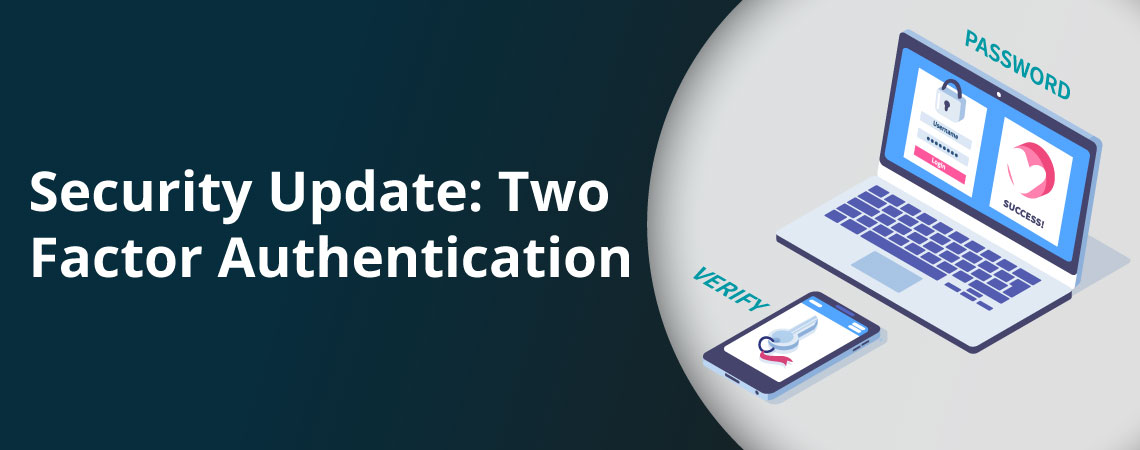
Two-factor authentication (2FA) is a security process where you provide two different authentication factors to verify yourself before you log in. It’s usually your password plus a code from your email or an authenticator app, so a stolen password alone isn’t enough to get in.
Joblogic’s field service management software turns on 2FA by default for back-office and mobile users. This guide explains how 2FA works, compares the main methods, and covers what to check so it protects your jobs and customer records.
What is two-factor authentication?
A factor is a type of proof that you are who you say you are. According to IASME, which delivers the Cyber Essentials certification scheme, there are three types: something you know, such as a password or PIN, something you have, such as a phone or security token, and something you are, such as a fingerprint.
Two-factor authentication uses two of those types. Two of the same type, such as a password and a security question, isn’t two-factor. You’ll also see it called two-step verification. Multi-factor authentication (MFA) means more than one factor, so 2FA is MFA with exactly two.
Why two-factor authentication matters for field service businesses
According to the UK Government’s Cyber Security Breaches Survey 2025/26, 47% of UK businesses now require two-factor authentication, up from 40% a year earlier. That falls to 43% for micro businesses but rises to 90% for large ones. Phishing was the most common attack, hitting 38% of businesses.
The survey covers businesses with employees, and sole traders are outside it. It still shows a clear gap: smaller firms are less likely to require a second factor.
Phishing works by sending someone to a fake login page, where they type in their details. With 2FA, a stolen password on its own doesn’t get an attacker in.
Your engineers open job sheets, customer details, and site notes on their phones between visits, using the mobile engineer app. A second factor means a stolen password alone doesn’t give anyone access to those records.
Cyber Essentials is a government-endorsed certification scheme, and multi-factor authentication for cloud services is part of what it asks for. Joblogic holds Cyber Essentials Plus and ISO 27001 certification.
Two-factor authentication methods compared
IASME says the National Cyber Security Centre recommends four types of additional factor for businesses. Each one asks for the second factor in a different way.
| Factor type | How it works | Examples | Worth knowing |
|---|---|---|---|
| Trusted device | Your login is accepted because you’re using a specific device you already use | A company laptop | It’s only as secure as the device itself |
| App | An authenticator app generates a single-use code that changes every minute, or sends a prompt you approve | Microsoft Authenticator, Google Authenticator | The code comes from the phone you carry, not from your inbox |
| Physical token | A physical security token proves you have it | FIDO security keys such as YubiKey, smartcards protected by a PIN, chip-and-PIN card readers | Some tokens need to be activated before use, and others just prove you hold them |
| Code to a registered email or phone | A single-use code is sent by text message, voice call, or email to the address or number registered for you | SMS code, email code | IASME says SMS isn’t the most secure type but still beats using no MFA |
Any second factor is a big step up from a password alone. IASME also says a code you type in is better than a clickable link in an email, because it’s hard to tell a real email from a phishing one.
Joblogic offers two of these methods: a single-use code sent to your registered email address, and an authenticator app such as Microsoft Authenticator or Google Authenticator. For engineers on the road, the app suits well, because the code comes from the phone they already carry and doesn’t depend on checking an inbox.
How two-factor authentication works in Joblogic
Joblogic activates 2FA by default for all back-office and mobile users. At first login, each user is prompted to choose a method: a code sent to their email address, or an authenticator app.
Users can change their method later. Back-office users do this under Settings, then Staff, by selecting their username. In the mobile app, 2FA is managed from the Status area of the main menu.
2FA is also a setting in your account’s system settings, so it’s worth confirming it’s switched on for your whole account.
Joblogic also supports Login with Microsoft. You link your Microsoft account to your Joblogic login and sign in with it.
What to check before you rely on two-factor authentication
Your engineers log in from vans, sites, and customer premises, so 2FA has to fit around that work. Check these four things:
- It covers every user, in the back office and on mobile. Joblogic applies 2FA to both.
- It offers a choice of methods, so you can pick one that suits your engineers. Joblogic offers an email code or an authenticator app.
- It’s on from the first login, not left for each person to switch on. Joblogic prompts every user to choose a method at first login.
- Users can change their method without raising a ticket. In Joblogic, they do it from their own settings.
Make two-factor authentication part of every login
Start by checking that 2FA is switched on for your account and for every user, including engineers who only log in from their phones. One account without it is the easiest way in.
Then make sure each person knows which method they chose and how to change it. In Joblogic, that’s Settings, then Staff, in the back office, or the Status area of the mobile app.
Finally, review who has access. Remove leavers, replace shared logins with individual accounts, and check each person’s 2FA is set up.
If you’d like to see how 2FA works across the back office and the mobile app, book a demo and we’ll walk you through it.
Frequently asked questions
Is two-step verification the same as multi-factor authentication?
Two-step verification is another name for two-factor authentication. Multi-factor authentication (MFA) covers any login that asks for more than one factor, so 2FA is MFA with exactly two. A password plus a code from an authenticator app is two-factor. Adding a third factor, such as a fingerprint, makes it MFA with three.
Which two-factor authentication method is most secure?
It depends on your risk, but the principle is simple: the harder the second factor is for an attacker to intercept, the better. IASME says text message codes aren’t the most secure type but still give a huge advantage over no MFA. It also says a typed code beats a clickable email link. Whatever you choose, the biggest gain is turning 2FA on for every user.
Is two-factor authentication free?
Authenticator apps such as Microsoft Authenticator and Google Authenticator are free to download. Joblogic activates 2FA by default for all back-office and mobile users, and each user chooses an email code or an authenticator app at first login. The app is optional, because email codes work without installing anything.
Does Joblogic use two-factor authentication?
Yes. Joblogic activates 2FA by default for all back-office and mobile users. At first login, each user chooses an email code or an authenticator app, and they can change that choice later from their own settings. Joblogic also supports Login with Microsoft for customers who link their Microsoft accounts.
Does Cyber Essentials require multi-factor authentication?
Cyber Essentials asks for multi-factor authentication on access to cloud services, according to IASME, which delivers the scheme. Two-factor authentication is a form of MFA, so it counts when it uses two types of factor. Joblogic holds Cyber Essentials Plus and ISO 27001 certification.